How APIs Work: Requests, Formats, and Examples
Learn how APIs connect software, handle requests, and return data. See common API types, code examples, key safety tips, and ways to test API calls.

Introduction to APIs
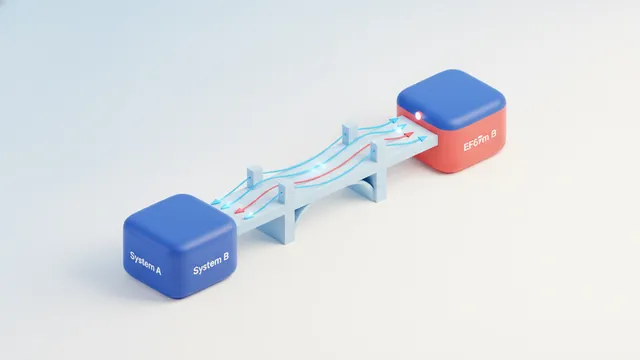
API stands for Application Programming Interface. It is a set of rules that lets one software system ask another for data or a service. Think of it as a bridge between apps that do not share their inner code.
A weather app can ask a weather service for a forecast. The service sends back data, and the app shows it to the user. APIs also power payments, maps, sign-in tools, and social media features.
Using an API can save a team time. Developers can add a service that already exists instead of building it from scratch. This is useful when a product needs a feature that another provider already runs well.
People often search for “what is API in Java.” The idea is the same in Java as in any language. An API sets how one program asks another program to do work.
How APIs Work: Requests, Endpoints, and Responses
To see how API works, start with an endpoint. An endpoint is a web address for a specific task or set of data. A weather API might have one endpoint for current conditions and another for forecasts.
A client sends an API request to that address. The request can ask to read, add, change, or remove data. Many web APIs use HTTP, the same protocol that browsers use to load web pages.
The server checks the request, does the needed work, and sends an API response. The response often has a status code and data in JSON or XML. A code can show success, missing data, or a request that needs better access.
- Request: The client sends a method, endpoint, and any needed data.
- Server work: The service checks access and runs the task.
- Response: The service returns a status and, when needed, data.
To learn how to call an API, first read its docs. Check the endpoint, method, required fields, and access rules. Then send a test request and inspect the response.
In Python, a developer can use a library such as requests to send a web call. In JavaScript, the built-in fetch feature can send one. Java apps can use built-in network tools or a library. The steps vary by tool, but each call needs the right endpoint and request data.
HTML alone does not make a server request. A web page can use JavaScript to call an API, then place the result in the page. The MDN guide to using Fetch explains this browser feature and its response handling.
Searches like “how to call an API in Python,” “how to call an API in JavaScript,” and “how to call API in Java” point to the same core steps. Pick the language tool, set the endpoint, send the request, then check the result. “How to do an API call” is often a search for this same process.

Common API Formats
APIs need a shared format so both sides can read the data. JSON, or JavaScript Object Notation, is common in web services. It stores data as named values and lists, which most languages can handle.
XML, or Extensible Markup Language, is another format. It uses nested tags to describe data. Some older systems still use it, while many newer web services favor JSON.
The format does not set what an API can do. It sets how data is shaped as it moves between systems. Check the docs for sample requests and responses before you write code.
| Format | Common use | What to know |
|---|---|---|
| JSON | Web and mobile apps | Compact and widely supported |
| XML | Older or rule-heavy systems | Uses nested tags |
When you search how to get an API, you may mean finding one to use or getting access to it. Look for an official provider page, read its terms, and sign up if needed. Its docs should show how to find API endpoints and any limits.

REST, SOAP, and RPC: Common API Types
REST, SOAP, and RPC are common ways to shape API calls. REST is widely used for web services. It often links HTTP methods to actions on resources, such as reading a product or adding an order.
A REST API may return JSON, but REST does not require that format. Its use of common web rules makes it a fit for many apps and public services. A service can also limit how often a client calls an endpoint.
SOAP is a formal protocol with strict message rules. It often uses XML and can suit systems that need firm contracts. RPC, or Remote Procedure Call, focuses on asking a remote system to run a named action.
An API gateway is a layer that can route requests to services. It may also check access, apply rate limits, or track calls. So, “how API gateway works” comes down to how it handles traffic between a client and one or more services.
API use is not usually “calculated” as one value. A provider may calculate usage from call counts, data sent, or features used. Check the provider's pricing and rate rules to see which measures apply.

Real-World API Examples
A shop can use a payment API to send a charge request to a provider such as PayPal. The provider checks the request and returns a result, such as approved or declined. The shop can then show the right next step.
Social media APIs can let an app share a post or fetch approved account data. Weather APIs can send live conditions to travel, farming, or event apps. Map APIs can help a delivery service show routes and travel times.
APIs may be public, private, or limited to partners. A public API has rules for outside developers. A private API serves a firm's own apps or systems.
API keys are one way to identify a caller. They are usually strings sent with a request, so the service can link calls to an account. If you wonder how API keys work, remember that a key is not a safe stand-in for user sign-in or strong access checks.
Keep keys out of public code and web pages. Store them on a server or in a safe settings store. If a key leaks, revoke it and make a new one.
Best Practices for Building and Using APIs
Start by defining each endpoint and what it does. Use clear names, steady response shapes, and useful error messages. Good docs should show sample requests, fields, status codes, and access needs.
Use only the access level each caller needs. Add rate limits to reduce abuse and protect service uptime. Never treat a hidden key in browser code as secret.
Test calls before shipping them. Check success, bad input, missing access, and slow or failed service replies. If you ask how to do API testing, start with these cases and verify both status codes and returned data.
To become an API developer, learn one programming language, HTTP basics, and how to read API docs. Then build small apps that use public services. An API certification may help structure study, but hands-on work and clear code matter more.
When you search “how to API,” “how to find API,” or “how to get API,” begin with the provider's official docs. They explain access, endpoints, formats, limits, and examples. Avoid sending private data until you know how the service protects it.
Conclusion
An API lets software systems work together through set requests and responses. Endpoints define where calls go, while formats such as JSON shape the data. REST, SOAP, and RPC offer different ways to build those links.
For developers, APIs speed up app work and open access to useful services. Read the docs, protect keys, and test more than the happy path. Those habits make API use safer and easier to maintain.
Frequently asked questions
- How does an API work?
- A client sends a request to an API endpoint. The service checks it, runs the task, and returns a status and any requested data.
- How do I call an API?
- Read the API docs, choose an endpoint, and send the right method and data. Then check the response and handle errors.
- How do API keys work?
- An API key helps a service identify a caller or account. Keep it private and do not treat it as a replacement for user sign-in or access checks.
- How do I get access to an API?
- Find the provider's official API docs and follow its sign-up steps. Some APIs are open, while others need approval or a paid plan.
- Can HTML call an API?
- HTML alone cannot send an API request. A web page can use JavaScript to call an API and show the result.
- How should I test an API call?
- Test valid requests, bad input, missing access, and service errors. Check both the status code and the returned data.
Related reading

API Endpoints Explained: How They Work and How to Use Them
Understand API endpoints, HTTP methods, design rules, and documentation steps.
What Is an API? Purpose, Types, and How APIs Work
APIs help apps talk safely. Learn purpose, types, and how they work.

How Do REST APIs Work? Calling and Building Them in Java
See how REST requests work, then call and build one in Java.