What Is the First Step in the Web Design Process?
Learn what starts a web design project, from setting goals to building a sitemap and wireframe that guide each design choice.

Understanding the Web Design Process
The first step in the web design process is identifying clear project goals. These goals shape every later choice, from page layout to content tone. They also give the team a clear way to judge progress.
The initial phase of web design is more about planning than picking colors. A strong plan links business needs with user needs. It also keeps design work focused when new ideas appear.
Most website projects move through these broad stages:
- Set goals and define success
- Write a design brief
- Set the project scope
- Study the target audience
- Plan the content structure
- Create a sitemap and wireframes
- Design, build, test, and launch
These stages can overlap in small projects. Still, the order helps teams avoid costly rework.
Start by Identifying Clear Project Goals
Goal setting gives a website project its direction. Ask what the site must help the business achieve. The answer may be more sales, more leads, or better customer support.
Turn broad aims into goals that you can track. For example, a service firm may want 30 qualified leads each month. An online store may want to lift checkout completion from 2% to 3%.
Each goal should name the user action that matters most. It should also state the time frame and the way you will measure results. This detail helps the designer support real outcomes.
- Business goal: gain more product demo requests
- User goal: find key product facts within two minutes
- Design goal: make the demo form clear and easy to finish
Write three to five main goals before starting a website design project. More goals can blur the main purpose of the site.

Create a Useful Web Design Brief
A design brief turns early talks into a shared project record. It explains what the site should do, who it serves, and why it exists. Every person on the team can use it as a guide.
A good brief does not need to be long. A focused three-page brief can cover the core needs for a small site. It should use plain terms that clients, writers, designers, and developers understand.
Include these key details in the brief:
- Project goals and success measures
- Target audience and user needs
- Main pages and needed content
- Brand tone, colors, and visual limits
- Known technical needs and site tools
- Budget, key dates, and review points
- People who can give feedback or approve work
Also record what the project will not include. This note can stop later requests from changing the whole plan.
Define the Project Scope Before Design Work
Scope sets the limits of the project. It covers the work, pages, features, and support the team will deliver. Clear limits protect both the budget and the launch date.
Scope creep starts when small requests build into major work. A new booking tool may need new data rules and extra testing. A new page may also need new copy, images, and review time.
List each item as part of the plan or outside the plan. Then set a simple change rule for new requests. The team may accept a change only after checking its time and cost.
| Scope item | Clear example |
|---|---|
| Pages | Home, services, about, blog, and contact |
| Features | Contact form and email signup |
| Content | Client supplies service copy and team photos |
| Support | Two weeks of fixes after launch |
Review scope at the end of each stage. This habit keeps project management calm and visible.
Research the People Who Will Use the Site
Audience research helps the team make design choices that feel useful. It shows what users need, know, fear, and hope to do. Good research also reveals words that users understand.
Start with real evidence when possible. Review support messages, search terms, sales calls, and site data. Speak with three to five users if the budget allows.
Look for answers to these questions:
- What task brings users to the site?
- What device do they use most?
- What stops them from taking the next step?
- What proof helps them trust the business?
- Which terms do they use for the service?
Do not treat an age group as a full user profile. A goal, task, and problem give stronger design clues. These findings guide both user experience and user interface choices.
Build a Sitemap for the Content Structure
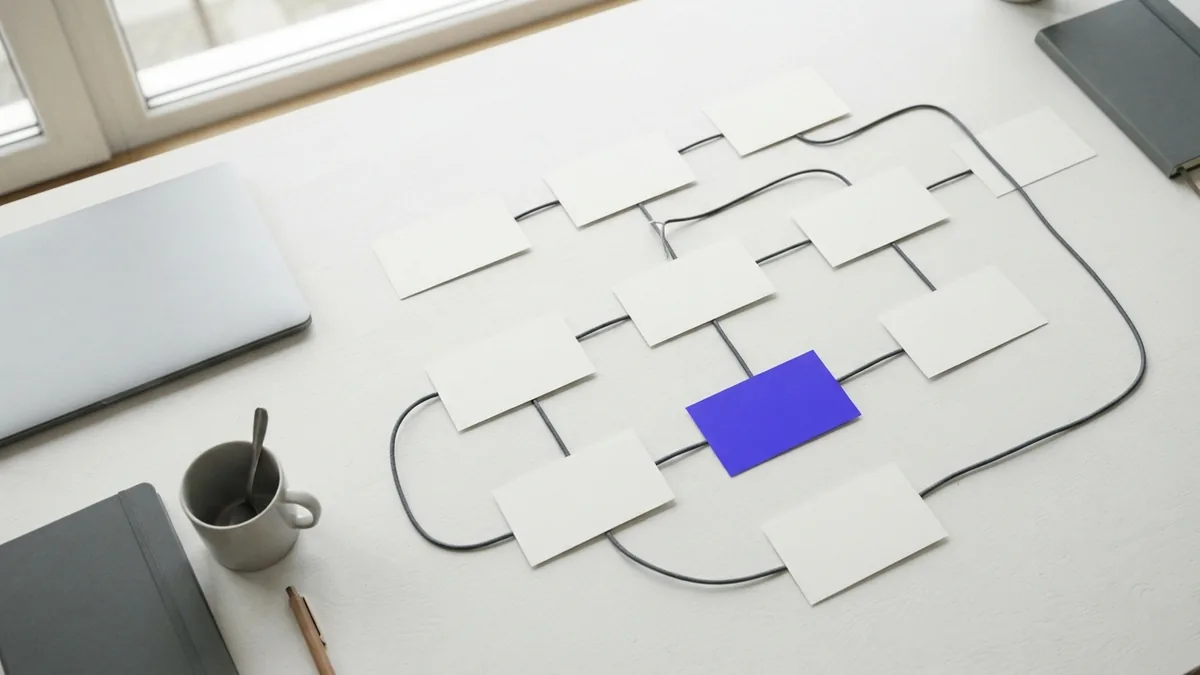
A sitemap shows how the website pages connect. It acts like a map for the content structure. The map helps users and search engines find key pages.
Start with the main goal of the site. Place the most useful page near the top of the structure. Then group related pages under clear parent pages.
A basic service site might use this structure:
- Home
- Services
- Service A
- Service B
- About
- Resources
- Articles
- Case studies
- Contact
Keep labels short and clear. Test the map with someone outside the project team. If they cannot predict a page location, revise the structure.
Use Wireframes to Test the Layout Early
A wireframe is a low-fidelity layout of a page. It shows content blocks, page order, and key actions. It does not need final colors, images, or type styles.
Wireframes help teams find weak layouts before detailed design begins. They make feedback faster because people can focus on flow. They also make changes cheaper than changes made after coding.
Begin with the home page and one key task page. Mark the header, main content, calls to action, and footer. Then show how the layout changes on a small screen.
- Sketch the page goal at the top of the frame.
- Place the main user task near a clear path.
- Group related content into simple blocks.
- Share the frame with two or three reviewers.
- Change the layout before adding visual polish.
Ask reviewers to complete a task with the wireframe. For example, ask them to find a service and request a quote. Their questions often reveal gaps in the page flow.
What to Do After the Initial Planning Phase
Once the goals, brief, scope, audience, sitemap, and wireframes align, visual design can begin. The designer can now choose colors, type, images, and UI patterns with a clear reason. Each choice should support a user task or project goal.
Next, the team builds a page design and tests it on common screen sizes. Fix major flow issues before polishing small details. This order saves time and keeps the site tied to its purpose.
Use this launch check before moving ahead:
- Can the team state the top project goal?
- Does the brief name the audience and main user tasks?
- Are page limits and feature limits clear?
- Does the sitemap cover the needed content?
- Have users reviewed the wireframe flow?
Clear goals are the true first step. They turn web design from a visual task into a focused problem-solving process.
Frequently asked questions
- What is the first step in the web design process?
- The first step is identifying clear project goals. These goals guide the brief, scope, content, and design choices.
- What should a web design brief include?
- A brief should include project goals, target users, page needs, brand direction, budget, dates, and review roles.
- Why is scope important in web design?
- Scope sets clear limits for pages, features, content, and support. It helps prevent scope creep and protects the project schedule.
- How do you research a website target audience?
- Review user data, support questions, search terms, and sales notes. You can also speak with three to five users.
- What is a sitemap in web design?
- A sitemap shows the website page structure. It helps teams group content and plan clear paths through the site.
- What is a wireframe used for?
- A wireframe shows a low-detail page layout. It lets teams test page flow before visual design and coding begin.
Related reading

How Do APIs Work? A Guide for App Developers
See how APIs connect apps, move data, and help developers build useful features.

How Do REST APIs Work? Calling and Building Them in Java
See how REST requests work, then call and build one in Java.

What Is an API Endpoint? See How It Works
See how API endpoints connect client requests to server data and features.