API Meaning: What Is the Full Form of API?
API stands for Application Programming Interface. Learn what an API is, how it works, key components, types, architectures, and real use cases.
API definition: what is the full form of API?
API stands for Application Programming Interface. In plain terms, it is a way for one software system to ask another for data or a service. An API definition usually centers on communication and exchange.
When you press a button in a mobile app, the app often needs help from a server. The API is the contract that lets them talk. It defines what can be requested, how to send it, what comes back, and what rules apply.
This is why many teams treat APIs like products. They document behavior so other teams can build reliably on top of them.
- API = Application Programming Interface
- Purpose = connect software and move data
- Key idea = request, response, and rules

How does an API work, step by step?
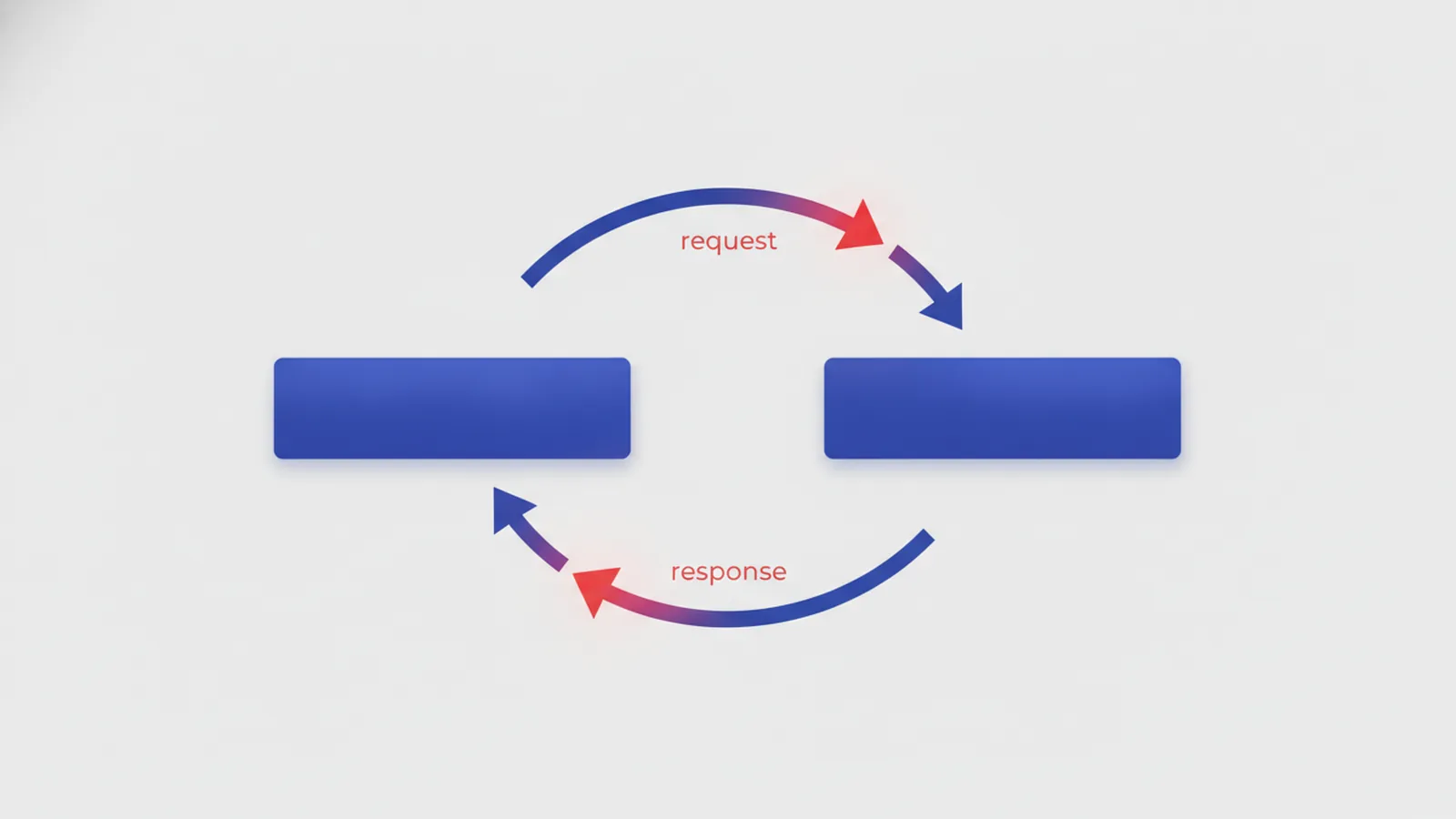
To understand how does API work, picture a structured message flow. A client sends an API request to an API endpoint. The server processes it and returns an API response that the client can use.
An API endpoint is a specific URL or route where a function lives. The request typically includes headers, optional parameters, and a body if you are sending data. The response includes status information and the result payload, like JSON.
Most APIs also require authentication. That could be an API key, OAuth tokens, or signed requests. The exact method depends on the API’s design and security goals.
Here is a simple example flow for a “get user profile” action. The app sends a request to the right endpoint. The API verifies the auth method and validates the inputs. Then it returns the user data or an error with a clear reason.
- Client prepares an API request to an endpoint
- API checks authentication and request format
- API runs the action and builds the response
- Client reads the response payload and updates UI or logic

Types of APIs you will meet in real projects
When people ask about types of APIs, they often mean two different things. One is the “audience” type, like public versus internal. The other is the “style” type, like REST or GraphQL. Both matter when choosing an integration approach.
Common API categories include web APIs for external clients, and internal APIs for teams inside one org. Partner APIs allow trusted business partners to connect systems. Public APIs are available for broader use, usually with strict rate limits and clear API documentation.
Another useful way is to consider the integration context. A mobile app usually calls a web API over the internet. A backend service might call an internal API to reuse business logic. A payment system might use a partner API so merchants can process transactions safely.
- Web APIs: used over the internet by apps and services
- Internal APIs: used inside one company
- Partner APIs: shared with known third parties
- Public APIs: available to external developers under rules
Regardless of the category, you still follow the same core pattern. Request goes in. Response comes out. The API security model controls who can do what.

Common API architectures: REST, SOAP, GraphQL, and gRPC
Common API architectures describe how requests and responses are structured. They also define how clients discover actions and how errors are modeled. In practice, they shape developer experience and system performance.
REST APIs are popular and tend to map actions to resources. They often rely on HTTP methods like GET, POST, PUT, and DELETE. Requests target endpoints that represent resources, such as /users/123.
SOAP APIs use an XML-based message format and a strict envelope structure. They are common in legacy enterprise systems. SOAP also often comes with strong standards for reliability and security.
GraphQL is different because the client asks for exactly what it needs. Instead of many fixed endpoints, clients send queries that describe the shape of the response. This can reduce over-fetching and under-fetching.
gRPC is designed for fast, typed communication between services. It uses a binary protocol and defines services with a schema. Many teams choose it for internal service-to-service calls where low latency matters.
| Architecture | Typical focus | How clients ask |
|---|---|---|
| REST | Resources and HTTP methods | Calls fixed endpoints per resource |
| SOAP | Enterprise messaging and rules | Uses XML envelopes and operations |
| GraphQL | Flexible data fetching | Sends queries describing response shape |
| gRPC | High-performance service calls | Uses typed service methods |
When you pick an architecture, think about your clients and your team. REST can be simpler for many web and mobile use cases. GraphQL can help when clients need complex data screens. gRPC can win in internal systems with strong typing needs.

API integration and real use cases
API integration is the work of connecting your app or service to an API. That includes authentication, request building, response parsing, and error handling. It also includes operational steps like retries and monitoring.
Common use cases include web and mobile applications that need server-side data. An app might call an API to fetch product lists or update user settings. Payment systems also rely heavily on APIs. A merchant backend calls a payments API to create charges and confirm status.
Cloud services are another big driver. Teams use cloud APIs to manage storage, compute, and messaging resources. They often automate these tasks because doing it manually does not scale.
If you are planning an integration, follow a small set of practical steps. First, read the API documentation to find endpoints and request formats. Next, set up a sandbox or test environment so you can validate behavior safely. Then implement auth and build the minimal set of calls you need.
- Review API documentation and pick the right endpoints
- Set up auth credentials and test in a sandbox
- Implement API requests and parse API responses
- Add error handling for common failure cases
- Verify with API testing before going live
For authentication, start with the simplest allowed option. API keys may work for low-risk read operations. OAuth flows might be required when users grant access. Always confirm which auth method your provider expects in headers.
Also plan for timeouts and retries. Network calls can fail for temporary reasons. Good clients back off and retry only when it is safe.
Benefits and limitations: what to expect
APIs bring clear benefits when they are designed well. They enable reuse of business logic across multiple apps. They also improve efficiency because teams can build faster on top of existing services. With good design, APIs support automation and repeatable workflows.
Scalability is another major gain. When demand grows, you can scale the API service independently of the client app. That keeps user-facing systems responsive. APIs also support integration patterns where many clients share the same backend capabilities.
Still, APIs have limitations and considerations. Versioning is a big one. If you change a response field or endpoint behavior, older clients may break. Many teams use versioned routes or careful deprecation plans to reduce risk.
Performance can also be a challenge. Over-fetching data hurts mobile apps and increases costs. Under-fetching forces more calls. That is why API architecture choices and good endpoint design matter.
- Reusability: use one service for many clients
- Efficiency: avoid rebuilding common logic
- Scalability: scale backends and clients separately
- Automation: connect systems in repeatable workflows
Finally, treat API security and reliability as core requirements. Use strict API security controls like authentication, authorization, and input validation. Use API testing to catch breaking changes. And set clear rate limits to protect the service under load.
Quick reference: API components you should recognize
Most APIs share a few key components. You will see these terms in API documentation and in day-to-day development. Knowing them helps you reason about errors and build correct requests.
Endpoints define where an action lives. API requests carry parameters and data. API responses include the payload plus status details. Authentication methods determine how clients prove they can access the API.
| Component | What it does | Where you see it |
|---|---|---|
| API endpoints | Targets for actions | URL paths and routes |
| API requests | Inputs from client to server | Headers, query params, body |
| API responses | Outputs and status | Status codes and response body |
| Authentication | Who can call the API | API keys, tokens, signatures |
If you can map these components to your integration code, debugging gets easier. You can locate issues in request format, auth rules, or response parsing.
Frequently asked questions
- What is the full form of API?
- API stands for Application Programming Interface. It describes a set of rules that lets software systems communicate.
- What is an API used for?
- APIs let one app or service request data or actions from another. They are common in web and mobile apps, payments, and cloud services.
- How does an API work in practice?
- A client sends an API request to an API endpoint. The server returns an API response, often after authentication and validation.
- What are the main types of APIs?
- You can group APIs by audience: web APIs, internal APIs, partner APIs, and public APIs. You can also group them by style, like REST or GraphQL.
- What are common API architectures like REST or GraphQL?
- REST uses HTTP methods and resource endpoints. GraphQL lets clients ask for exactly the data they need, while SOAP and gRPC have their own structured formats.
- What are API limitations to watch for?
- APIs can break when versions change and when clients expect different response shapes. Performance, rate limits, and security controls also need careful planning.
Related reading

How Can You Raise Money for a Startup?
Compare funding paths, build a strong pitch, and earn investor trust.

How Big Is the Ecommerce Market, and How Fast Is It Growing?
Global ecommerce is nearing $7.4 trillion, with mobile and AI shaping what comes next.

Does the Clock Run on a 2-Point Conversion?
The try stops the clock, but the next play and league rules shape what happens after.