What Is SaaS? What Makes a Company a SaaS Provider
Learn what is considered SaaS, key SaaS characteristics, common applications, revenue models, and how it differs from other cloud models.

What SaaS is, in plain terms
SaaS, or Software as a Service, is cloud software you use in a browser.
The provider runs the app and keeps it working for all customers. You do not install it on your own servers.
So what is considered saas? It is a web-delivered app that the vendor runs end to end.
That usually means you start using it fast, without managing patching, deploys, or server upkeep.
What is considered a saas company? It is a company that sells that hosted app as a service.
- Provider hosts and runs the app
- Users access it via the internet
- Vendor handles upkeep and fixes
- Most plans use a subscription model

Key characteristics that define SaaS
Browser access is a core trait of SaaS. You log in and use features right away.
This removes the usual install steps. Your team does not need local setup for each update.
Another key trait is automatic updates. The vendor ships improvements, and you get them in your account.
You avoid manual upgrades and long downtime windows. That also speeds up security fixes.
SaaS also aims for scalability. When users grow, the platform must handle more load.
Managed infrastructure by the vendor helps with that. The service is built to run at different traffic levels.
SaaS is also often multi-tenant architecture. Many customers use the same app instance at once.
Each customer’s data stays separate through access rules and tenant controls.
| Trait | What you see |
|---|---|
| Hosted delivery | You use a live service, not your own install |
| Browser access | No local setup for the main workflow |
| Automatic updates | New fixes and features arrive without rebuilds |
| Scalability | The app stays fast during usage spikes |
| Managed infrastructure | Backups, uptime, and ops handled by the vendor |

Benefits you get from using SaaS
SaaS often cuts upfront costs. You usually avoid buying big licenses up front.
Instead, you pay over time under a subscription model. Many teams prefer predictable billing.
Deployment can be much faster. You sign up, set settings, and import data.
Then users can start work quickly, often the same day.
Accessibility is another big win. If you have an internet connection, you can use it from any device.
This helps with remote work, travel, and shift work. It also supports support teams on call.
SaaS also brings ongoing improvement. Automatic updates mean you keep up with new features.
That can reduce the gap between your needs and your tools.
Many SaaS plans also include a service-level agreement (SLA). It sets expectations for uptime and support.
Review the SLA closely, since details vary by vendor.
- Lower upfront cost than local installs
- Faster setup and rollout
- Access from any internet-ready device
- Automatic updates keep you current
- Clear SLA terms for uptime and support
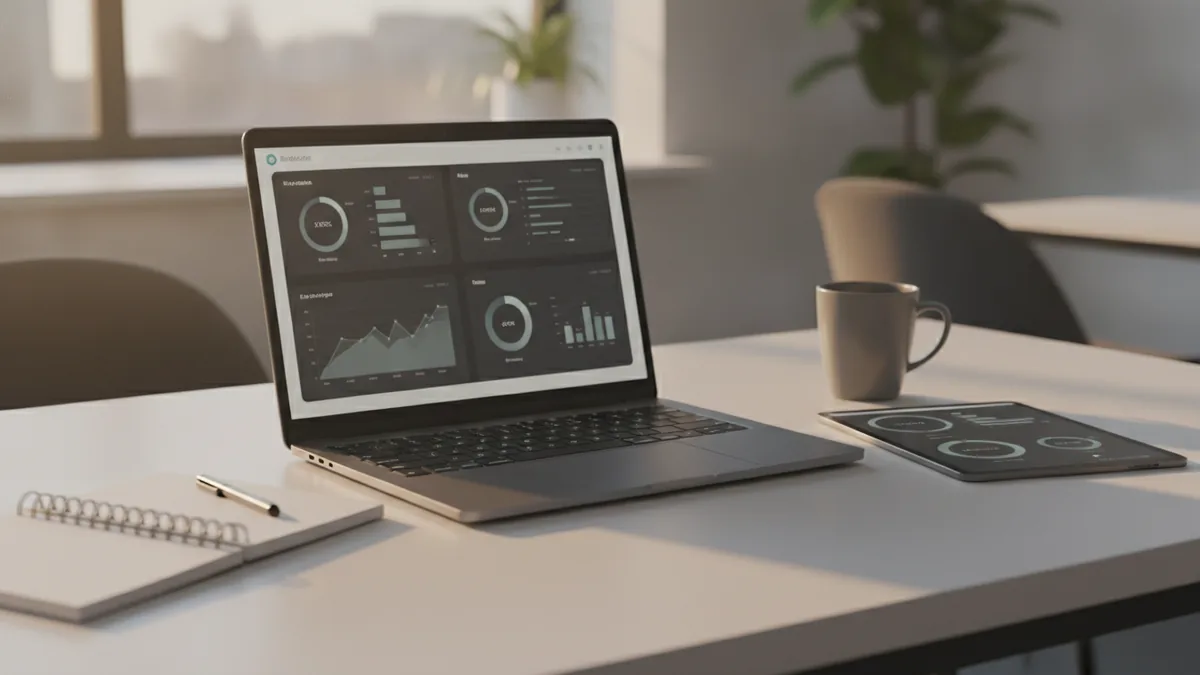
Common SaaS application types and real examples
When people ask what is considered saas, examples help. Look for software categories that people use daily.
CRM tools are a common case. They help manage leads, contacts, and deals.
ERP tools are also common. They cover finance, inventory, and core ops.
Email services are another big SaaS group. They need constant spam defense and safe delivery.
Collaboration tools also fit well. Teams use chat, docs, and task lists in one place.
These tools benefit from shared platform work. Many teams use the same core features across plans.
Even developer tools can be SaaS. You may use hosted issue tracking or code review in a browser.
The pattern stays the same. The provider runs the app, and you use it online.
- CRM for sales pipelines and customer records
- ERP for finance and operations tasks
- Email services for mail flow and security
- Collaboration tools for chat, docs, and projects
How SaaS compares with other cloud models
SaaS is part of cloud computing. It differs by what the user must manage.
In SaaS, the provider manages the whole app service. You focus on your work, not on ops.
In IaaS, you rent raw compute and storage. You manage the operating system and app deploy.
In PaaS, you build apps on a managed platform. You still handle your app code and settings.
That is why SaaS feels easy. You can start using it with login and setup.
Still, not every web tool is SaaS. Some web apps let you deploy updates and run parts yourself.
A quick check is who ships changes. If the vendor owns updates and uptime, it is likely SaaS.
| Cloud model | Provider runs | Customer runs |
|---|---|---|
| SaaS | Application, ops, and updates | Workflows, configs, and data access |
| PaaS | Platform services and run support | App code and app config |
| IaaS | Virtual machines and storage | OS, runtime, and app deploy |
SaaS pricing and revenue models that businesses use
SaaS companies usually charge with subscription pricing. That means recurring bills for access.
Plans may be monthly or annual. Many buyers like the steady cost over time.
Pricing often uses seats. You pay per user, based on roles or plan tiers.
Some vendors price by org, based on team size. It is common for shared work apps.
Feature tiers are also common. A free or basic plan may cap usage or limit add-ons.
Higher tiers unlock more features, deeper reports, or faster support.
Some SaaS products use a freemium model. Users start free, then pay when they need more.
Freemium is optional. Many SaaS tools start with paid trials or paid plans.
- Per user subscription by seats
- Per org subscription for teams
- Tiered features with usage limits
- Freemium model for early adoption
Best practices for SaaS providers
If you are building what is considered a saas company, focus on trust and daily value.
Customers expect fast fixes and safe operations. They also expect the app to work every day.
Design multi-tenant architecture early. Treat tenant isolation as a must-have.
Build access controls and audit logs from day one. Then test them with real edge cases.
Next, plan for scalability. Measure load and set clear response goals.
Then tune your system before growth breaks it. Slow apps drive churn quickly.
Support clarity matters too. Publish how you handle incidents and what your SLA covers.
Make it easy for customers to reach the right team. That reduces time-to-fix for outages.
Finally, manage change well. Tell users what will change and when. Good change notes lower support tickets.
- Automate ops and patching for steady uptime
- Build tenant isolation and strong access controls
- Monitor performance and scale before bottlenecks
- Offer clear SLA terms and support paths
- Share updates so users can adapt smoothly
Frequently asked questions
- What is considered SaaS in simple terms?
- SaaS is software hosted and run by a provider. You use it over the internet, usually in a browser.
- What is considered a SaaS company?
- A SaaS company sells the hosted app service to customers. It also handles operations, fixes, and updates.
- Do SaaS users always pay a subscription fee?
- Most SaaS uses a subscription model. Some offer annual plans or free tiers, but recurring payment is common.
- Is multi-tenant architecture required for SaaS?
- It is common, but not required in every case. Many SaaS apps use it to share the same app while isolating each tenant.
- How is SaaS different from IaaS and PaaS?
- SaaS delivers the full app, with vendor-managed upkeep. IaaS and PaaS shift more setup work to the customer.
- What are common examples of SaaS applications?
- CRM, ERP, email services, and collaboration tools are common SaaS examples. Many business workflows use these hosted apps.
Related reading

What Is an API, and What Does It Do?
See how APIs link apps, share data, and support common online tasks.

How Can You Represent an API in a Diagram?
Map API calls, systems, and responses with diagrams that teams can use and update.

What Is Full Stack Software Development?
See how full stack developers build and connect the parts of modern software.