What Is a Graphics API? Functions, Types, and Uses
Learn what a graphics API is, how it works, its main functions, key types, and where it’s used across games, sims, and multimedia.
What is a graphics API?
A graphics API helps programs draw images on a monitor. It is a library built for graphics rendering.
So if you ask what is graphics api, think of a tool that sends draw work to the right place. It reduces painful low-level work for you.
The graphics application programming interface offers ready functions for common draw tasks. You call these instead of coding every device detail.
It also helps apps use a GPU, a chip that speeds up graphics work. Some setups can run in software on a CPU too.
Teams often call it a graphics library because it is linked into your app. In daily talk, “API” and “library” can blur.
Functions and features you’ll rely on
A graphics API gives you optimized parts for rendering. It targets the work you repeat every frame.
You usually describe scene data, like vertices and textures. Then you tell the API how to shade and blend pixels.
With fewer manual steps, dev time drops. You can ship visuals faster and iterate sooner.
Most graphics APIs share these core features:
- Draw targets: create the place where frames land.
- Buffers: load and store vertex data and index data.
- Textures: upload images used in materials.
- Shaders: run small programs for vertex and pixel work.
- Render state: set depth test and blend rules.
- Sync: coordinate CPU and GPU so frames stay steady.
When state changes are costly, the API design matters. It can also batch work for better speed.
That is why graphics performance can swing by API. Your frame time might get more stable with a better match.
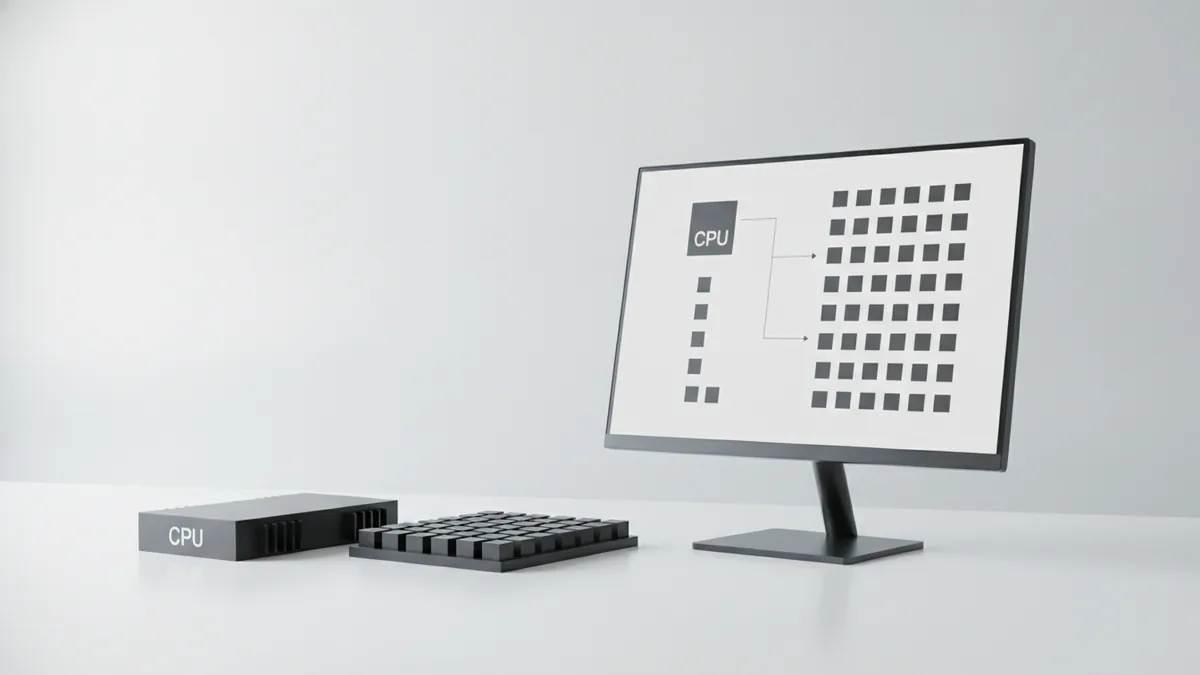
How hardware and software rendering differ
Graphics APIs can run with hardware acceleration or without it. Hardware acceleration means the GPU does most work.
In that case, your app sends commands to the GPU. The GPU runs shaders and raster steps in parallel.
Without a GPU path, the API may fall back to CPU work. The same draw flow still exists, but execution is slower.
This matters for power too. CPU-only mode can use more CPU time per frame.
Many devices use integrated graphics. This is a GPU built into the main chip.
| Mode | Where work happens | What you feel |
|---|---|---|
| GPU path | GPU shader and draw work | Faster frames and less CPU load |
| CPU path | CPU draws and shades | Lower speed and higher CPU use |
When you test, watch both FPS and CPU time. That will reveal where your bottleneck lives.
Types of graphics APIs and major examples
When people ask for types of graphics api, they often mean platform types. APIs differ by OS, runtime, and device limits.
Another view is how low-level the API feels. Some APIs ask for more setup, but reward control.
Here are key examples you will see in real code:
- OpenGL: a cross-platform API for desktop and more.
- DirectX (often via Direct3D): common on Windows and Xbox.
- Vulkan: a low-overhead API for cross-platform work.
- Metal: an API built for Apple devices.
- WebGL: a browser API for 2D and 3D.
Each one shapes how you manage draw calls and data. That changes engine design and build effort.
For example, Vulkan often needs more setup up front. The payoff can be more steady graphics speed.
OpenGL can feel easier at first. Still, you may hit limits when you chase top speed.
Use cases in games, simulation, and multimedia
Graphics APIs power video games and many sims. They also drive other multimedia applications.
In game development, the API draws the world and the UI. It supports both 2D and 3D graphics work.
Games need low lag and stable frame rate. APIs help move draw work to the GPU with fewer stalls.
Sims need visuals too, but with strict speed goals. They may render large scenes and many updates per second.
For multimedia apps, you may see video effects and compositing. The API can speed up filters that would choke on CPU work.
Common use cases include these:
- Real-time games: fast draw and smooth animations.
- Training sims: repeatable visuals with clear timing.
- Design tools: show models with fast updates.
- Browser apps: interactive views via WebGL.
- Media tools: apply effects while playing content.
Comparing popular graphics APIs
There is no single best graphics API for everyone. The best choice depends on your target system and team skills.
To compare APIs, look at platform support first. Then check how much setup each API demands.
Also consider tool support. Strong debugging tools can cut time spent on slow frames.
Here is a quick comparison of common options:
| API | Common use | Strength | Cost |
|---|---|---|---|
| OpenGL | Cross-platform desktop | Broad use and known patterns | Less explicit control than newer APIs |
| DirectX | Windows and consoles | Good OS fit and mature tools | Less portable beyond its world |
| Vulkan | Cross-platform | Low overhead and high control | More code to set up |
| Metal | Apple devices | Great fit for Apple hardware | Limited to Apple platforms |
| WebGL | Browsers | Runs where web pages run | Sandbox limits what you can do |
One practical test helps more than opinions. Build one scene with textures, lights, and a post effect.
Then measure CPU time and frame time. You will see which API matches your render style.

Future trends in graphics APIs
Graphics APIs keep changing with new GPU chips. Expect more ways to tune speed and power.
Another trend is more explicit control. Low overhead design reduces hidden work and helps stable frame times.
APIs are also mixing graphics and compute work. This lets one GPU run both draw tasks and data tasks.
You may also see more features for smart upscaling and denoise. Those tasks often fit the GPU well.
Web graphics will keep growing too. More devices and browsers will support richer 2D and 3D features.
For teams, the big win is a flexible engine core. Keep your render logic apart from API calls.
That split makes swaps easier later. It also reduces risk when hardware changes fast.
Frequently asked questions
- What is graphics api, in simple terms?
- A graphics API is a library that helps programs draw 2D and 3D graphics on a display. It provides functions for drawing, shaders, and render setup.
- Does a graphics API always use the GPU?
- No. Many use GPU hardware acceleration, but some can run in software on the CPU. The exact path depends on the system and drivers.
- What are the main types of graphics APIs?
- Common types are based on platform and runtime, such as OpenGL, DirectX, Vulkan, Metal, and WebGL. They differ in control level, setup work, and supported devices.
- Why does the graphics API choice affect performance?
- Different APIs have different overhead and control patterns. A better fit can reduce CPU work and help keep frame time stable.
- Where are graphics APIs used besides game development?
- They are used in simulations, design apps, and many multimedia tools. Web apps also use WebGL for interactive graphics in browsers.
- Is a graphics API the same as a graphics library?
- They are closely related. A graphics API is a library you call from code, so people often say “graphics library” when they mean the API.
Related reading

Is Ecommerce Growing, and Why Does It Matter?
Learn what drives ecommerce growth and where online stores can stumble.

What Is a Headless API, and How Does It Power eCommerce?
See how headless APIs link flexible storefronts with eCommerce back ends.

What Does SaaS Stand For in Business?
Learn what SaaS means, how it works, and why businesses use it.