What Is URI in API? Definition, Parts, and Examples
Learn what a URI is in an API. Understand URI components, URL vs URI, how endpoints use them, and best practices for designing URIs.

What a URI is (in plain terms)
If you’ve ever built an API request, you’ve used a URI without always calling it that. A URI (Uniform Resource Identifier) identifies a specific resource on the internet. In API contexts, that resource is often an entity like a user, order, or list of items.
The key idea is resource identification. The URI does not just help you “find a page.” It helps clients address an API endpoint that represents data or actions. That’s why understanding uri definition in api is useful when you read docs, debug errors, or design your own endpoints.
When people ask “what is uri in api,” the most accurate answer is this: it is the string your client sends to reach the right server-side resource. It may also include details like filters and how the client should interpret the response.
- URI identifies a resource
- API requests use URIs to target endpoints
- URI strings often include query parameters for filters
URI components you’ll see in API requests
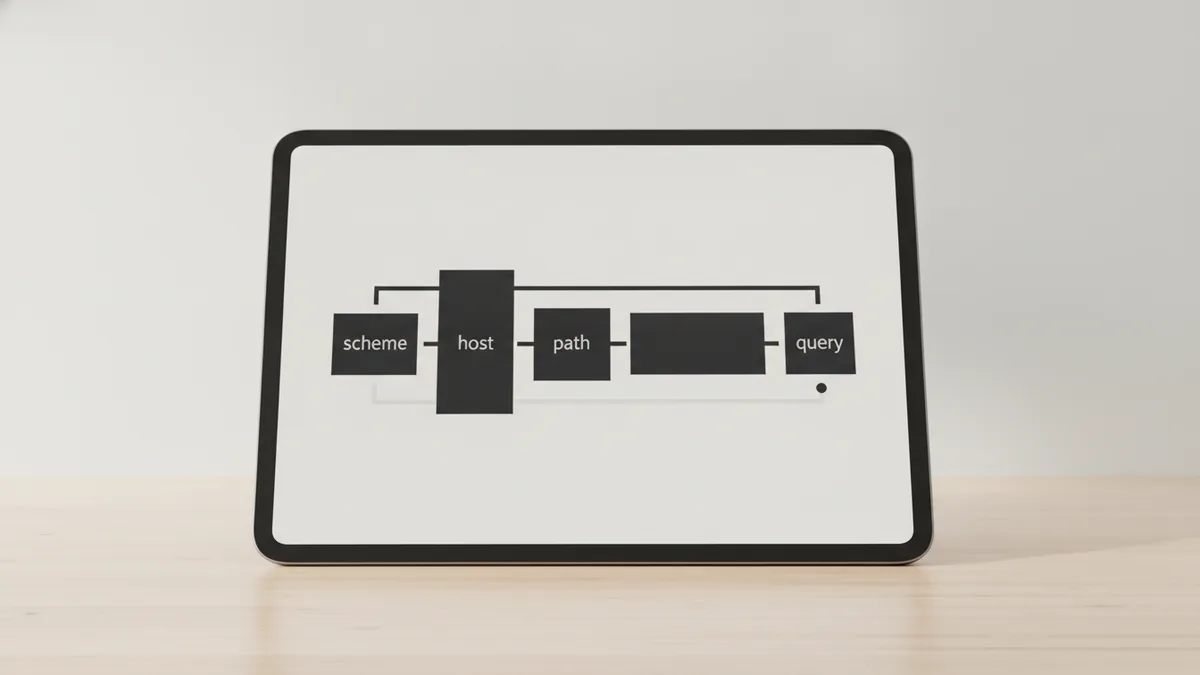
A URI has multiple parts. You can think of it as a structured address with optional sections. Understanding uri components in api helps you reason about routing, caching, and how servers interpret requests.
Not every URI includes every component. However, these parts are common when people write URIs in HTTP and in API documentation. The biggest practical difference is that the server uses the “path” and “query” to decide which handler runs and what data comes back.
Here are the main components you’ll encounter:
- Scheme: usually “https” or “http”. It tells the client which protocol to use.
- Authority: typically includes a host and optional port. It points to the server.
- Path: the resource route on the server, like “/v1/orders/123”.
- Query parameters: key/value filters after “?”. Example: “status=paid&limit=20”.
- Fragment: part after “#”. Many API clients ignore it because HTTP requests do not send it.
One concrete example helps. Consider:
| URI | Example parts |
|---|---|
| https://api.example.com/v1/orders/123?status=paid&limit=20 | Scheme: https Authority: api.example.com Path: /v1/orders/123 Query: status=paid, limit=20 Fragment: none |
In most API designs, the path identifies the resource. The query parameters then refine what you want, like filtering by status or setting pagination size.
URI vs URL: the difference that matters in APIs
Many developers mix up URI and URL. Here’s the clean model: a URL (Uniform Resource Locator) is a subset of URI that tells you how to locate a resource. A URI can identify a resource without necessarily telling you the location details.
In daily API work, you mostly see URLs because HTTP needs a concrete network location. That means you often deal with full strings that include scheme, host, and path. Still, “uri definition in api” matters because spec language and documentation might use “URI” as the umbrella term.
A quick way to remember it:
- URL answers “where” (location and access method).
- URI answers “which resource” (identifier, often including location).
This distinction shows up when you read standards text. But in practice, your API endpoint usually uses URLs, and those URLs are URIs too. So you can safely treat endpoint strings as URIs when designing request handling.

How URIs are used in APIs
APIs utilize URIs to define endpoints for accessing resources. An endpoint is the server-side route that handles a request. The URI tells the client which resource the request targets, and the server uses routing rules to match it.
In HTTP, the client sends a request line that includes the URI path and query. The server then selects an action based on both the URI and the HTTP method. This is why you must understand API endpoints even if you only think in terms of “routes.”
Common HTTP methods associated with URIs in APIs include GET, POST, PUT, and DELETE. GET usually reads a resource. POST usually creates a new resource or triggers an action. PUT usually replaces a resource or updates it fully. DELETE removes the identified resource.
Here’s how URI choice changes behavior:
- Different path targets a different resource type.
- Same path, different query changes filters and pagination.
- Same path, different method changes the action on the resource.
Also note that query parameters often affect caching and response shape. If you paginate results with “limit” and “offset,” those values should directly influence the response body and headers.
Examples of URIs in real API patterns
API documentation often shows URI templates with placeholders. These templates turn into concrete URIs at request time. Understanding these patterns helps you map request strings to server logic.
Here are common examples you’ll see across APIs:
- Collection: /v1/users identifies “the users collection.”
- Single resource: /v1/users/42 identifies the user with id 42.
- Sub-resource: /v1/users/42/roles identifies roles for that user.
- Filtered list: /v1/orders?status=paid identifies paid orders.
Now combine that with methods. For the collection URI “/v1/users”:
| Method | Typical meaning |
|---|---|
| GET | List users, optionally filtered with query parameters. |
| POST | Create a new user. The new user id often appears in the response. |
For the single resource URI “/v1/users/42”:
| Method | Typical meaning |
|---|---|
| PUT | Replace or update user 42 using the request body. |
| DELETE | Remove user 42. |
| GET | Fetch user 42 details. |
When you debug “404 Not Found,” start by checking whether the path matches the intended resource. Then check query values if you’re getting “empty results” rather than a missing route.
Best practices for URI design in APIs
Good URI design makes APIs predictable. It also makes routing simpler and reduces surprises for clients. Even if your team uses a framework, you still need to think carefully about resource identification.
Follow these practical API design best practices. They focus on consistency and clarity rather than cleverness.
- Use nouns, not verbs, in paths. Prefer “/orders” over “/getOrders”.
- Use stable identifiers in the path. If you support “/users/{id},” keep id meaning consistent.
- Keep query parameters for filtering and paging. Use “?status=paid&limit=20” for list controls.
- Be consistent with trailing slashes. Pick one style and apply it across routes.
- Encode special characters. Spaces and symbols must be safely represented in query strings.
One more point: avoid putting too much logic into the path. If you need many filters, query parameters are usually the better fit. For example, “/v1/orders?status=paid&from=2026-01-01” scales better than a deeply nested path for every filter combo.
Finally, test your URI behavior with real requests. Verify that the server returns correct results for different query combinations. This is often where bugs hide, especially when query parsing differs across languages and libraries.
Frequently asked questions
- What is a URI in an API?
- A URI (Uniform Resource Identifier) identifies the resource an API request targets. In practice, it usually appears as the endpoint path plus any query parameters.
- What are the main components of a URI?
- Common components are scheme, authority, path, query parameters, and sometimes a fragment. In API requests, scheme and authority are usually part of the full URL, while path and query drive routing and filtering.
- Is a URL the same as a URI?
- No. A URL is a subset of URI that includes location details. A URI can identify a resource without being a full locator.
- How do URIs relate to API endpoints?
- An API endpoint is matched using the URI path and often the query string. The HTTP method then decides what action to take on that identified resource.
- Which HTTP methods are commonly used with URIs in APIs?
- GET, POST, PUT, and DELETE are common. They typically map to reading, creating, updating, and deleting resources.
- Do API servers use URI fragments?
- Most APIs ignore fragments because fragments are not sent in HTTP requests. Clients may use fragments in browser contexts, but servers usually do not see them.
Related reading

Is Ecommerce Growing, and Why Does It Matter?
Learn what drives ecommerce growth and where online stores can stumble.

What Is a Headless API, and How Does It Power eCommerce?
See how headless APIs link flexible storefronts with eCommerce back ends.

What Does SaaS Stand For in Business?
Learn what SaaS means, how it works, and why businesses use it.