How to Design a Web App: UX, UI, Build, and Best Practices
Learn how to design a web app from idea to deployment. Get UX and UI tips, development steps, testing methods, and best practices.

Introduction to Web Apps
A web app is an interactive program that runs in a user’s web browser. It relies on web technologies like HTML, CSS, and JavaScript. It can also use backend services for data, auth, and business logic.
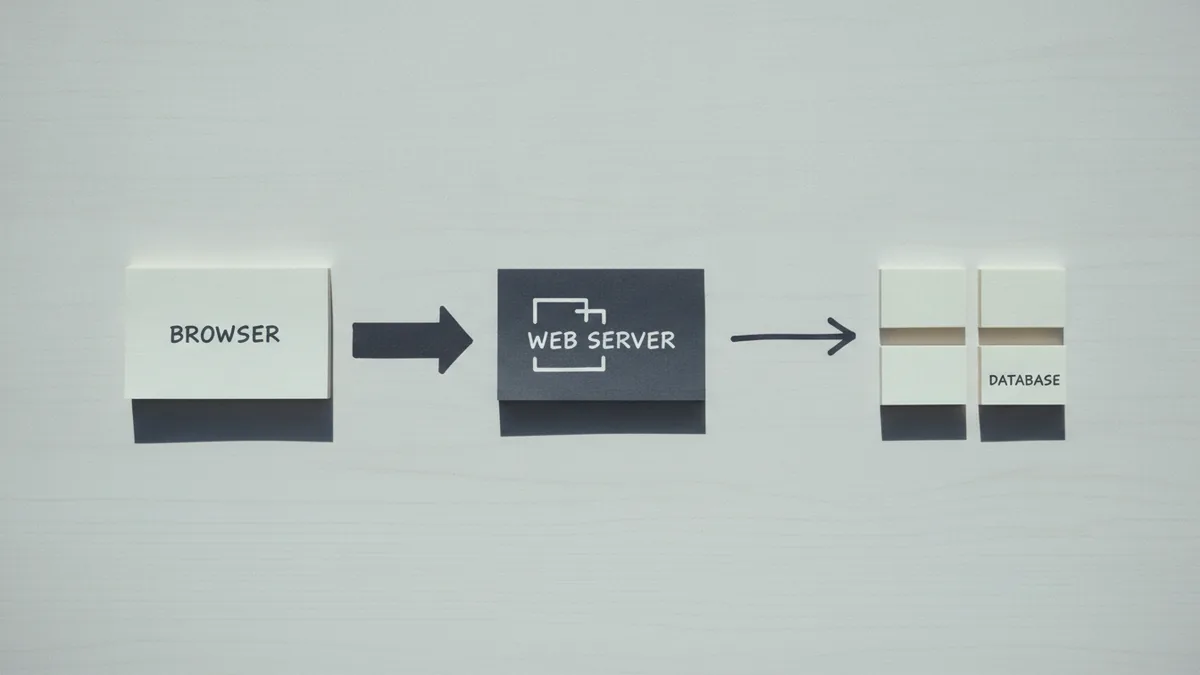
If you are learning how to design a web app, start by thinking end to end. The browser is the front door for users. The server side is where data is stored, processed, and secured.
A good web application design balances three things. It must feel fast and clear. It must be secure and maintainable. It must also be practical to build with your team and budget.
- Front end: UI screens, forms, and interactions
- Back end: APIs, databases, and rules
- Operations: hosting, monitoring, and updates
Defining Your App Idea
Before you touch code, define the problem your app solves. Write one sentence that describes who has the problem and how your app helps. This makes later UX decisions far easier.
Next, do market research to confirm there is real demand. Look for existing tools, read reviews, and note what people complain about. If you cannot find any similar apps, you still need evidence of need.
Turn that research into testable assumptions. For example, “Users will create a weekly plan in under five minutes.” Then design screens and features to validate that assumption.
- List target users and their current workflow
- Find competitors and compare core features
- Identify gaps you can fill with clear value
- Define success metrics for launch and iteration
Then create a short plan for MVP scope. MVP means you ship the smallest set of features that prove value. Users should be able to complete a meaningful task on day one.

Designing User Experience (UX)
User experience design focuses on how people move through the product. It is about clarity, effort, and confidence. Even strong visuals can fail if the flow is confusing.
Create user personas to guide your choices. A persona is a realistic profile of a target user, including goals and constraints. For instance, a busy parent may need shortcuts and fewer steps.
Use prototyping early to test the flow. Prototypes can be clickable wireframes that show key screens and navigation. This helps you spot dead ends before you build complex logic.
Wireframing is especially useful for web apps with forms or multi-step tasks. A wireframe lets you verify layout, field order, and error messages. It also helps you align stakeholders on what will ship.
- Map key user journeys, like “sign up to first value”
- Reduce steps between intent and outcome
- Design for errors with clear recovery paths
- Make important actions visible, not hidden
Plan usability with real feedback
UX design should include testing with real users. You can run short sessions where people try common tasks. Ask them to think aloud so you learn what they expect at each step.
After each test, update the prototype and retest. Iteration is faster at the wireframe stage than after frontend development is done. It also prevents “polish first” mistakes that delay learning.

Creating User Interfaces (UI)
User interface design turns the UX plan into screens people can use confidently. UI is about layout, type, color, spacing, and interaction details. It also includes component consistency across pages.
When you build UI, aim for predictable patterns. Users should recognize common elements like navigation, buttons, and input fields. Consistency reduces cognitive load and helps users learn faster.
Design for accessibility from the start. Use sufficient contrast and avoid relying on color alone. Make sure keyboard navigation works for key actions.
If you are wondering how to design web templates, treat templates as reusable UI building blocks. A template for a “detail page” might include a header, tabs, and action buttons. This keeps your app’s pages uniform while you grow features.
| UI area | What to decide | Why it matters |
|---|---|---|
| Navigation | Where users find core sections | Fewer dead ends |
| Forms | Field order, validation, help text | Higher completion rates |
| Feedback | Loading states and error messages | Less user confusion |
| Layout | Spacing and readable typography | Faster scanning |
Keep branding practical
Branding should support the workflow, not fight it. Use style choices that improve readability and reduce visual noise. If you include graphics, ensure they do not slow the user down.
Also define UI states early. Every button needs normal, hover, active, disabled, and loading states. This is one of the quickest paths to a polished web app.
When discussing how to design web graphics, focus on usability first. Use simple icons for actions and consistent illustration styles. Keep images optimized so your app stays snappy on mobile networks.
Development and Coding
Now move into the web app development process. This usually means two tracks: frontend development and backend development. The frontend handles the browser UI, while the backend provides data and rules.
Choose an approach based on your team and scope. Traditional coding gives maximum control and flexibility. Low-code or no-code development can speed up MVPs when requirements are standard.
Start with an API design that matches your UI needs. Even if you only build a small app, design the endpoints clearly. This is where “how to design an api” becomes practical.
People also confuse “API” and “web service.” An API is a set of rules for how software components talk. A web service is a type of service that exposes those capabilities over the web.
- Use REST or GraphQL based on your data needs
- Define request and response shapes up front
- Include status codes and useful error bodies
- Document auth and rate limits early
If you are building “great apis api first,” begin by writing the contract before UI screens. Mock the endpoints so frontend work can start in parallel. This reduces rework when you discover missing fields later.
Then build incrementally using an agile development loop. Ship small chunks that are testable. For example, “create item” first, then “list items,” then “edit.”
Finally, connect frontend and backend carefully. Validate inputs on both sides. Never trust only client-side validation.
Testing and Deployment
Testing should include both automated checks and human validation. Testing and validation catches bugs and prevents regressions. It also ensures your UX works for the right people.
Run unit tests for business logic and frontend components. Add integration tests for API calls. Then test the full user journey in staging, using realistic data.
Real user feedback matters most for usability and clarity. Try task-based sessions and collect notes on where users hesitate. Use that feedback to update features before launch.
- Validate input rules and edge cases
- Test loading states and slow network behavior
- Check permissions and auth flows
- Verify analytics events fire correctly
After development, deploy the app on suitable hosting. Use separate environments for staging and production. This prevents untested changes from reaching users.
Plan ongoing maintenance from day one. Monitor errors and performance, then ship updates in small batches. Also keep dependencies updated so you reduce security risk over time.
Best Practices in Web App Design
There are clear best practices for web apps that keep teams fast and users happy. Start with a consistent component system so UI stays coherent. Next, optimize for speed where it matters most.
Design performance as a feature. Users notice slow loads more than many visual flaws. Use caching, avoid heavy scripts, and compress assets.
Security is also a design problem. Use secure auth flows, validate all inputs, and protect sensitive data. Make permissions explicit in your backend logic.
Finally, keep the feedback loop alive. Measure key actions after launch, then refine based on real behavior. This is the difference between shipping once and improving continuously.
- Prototype flows before coding for faster learning
- Use personas to guide functionality choices
- Keep UI components consistent across screens
- Test with real users, not only in QA
- Deploy with monitoring and a clear update plan
If you want to extend your app later, plan for growth. A future feature should fit existing patterns, not break them. This keeps your web application design clean even as complexity rises.
FAQ-style clarity on common confusion
Some people also ask how to design a web crawler or how to design web templates as separate skills. Those can be niche projects. This guide focuses on designing a product users will interact with directly.
Also, if you are building integrations, you may need how to design a web service. For many apps, designing an API is the most direct and maintainable path.
Additional resources
If you need a strong reference for API design and HTTP semantics, use the official documentation for HTTP status codes and best practices. It helps you pick consistent responses and error shapes. For browser-side performance basics, reference web platform guidance from reputable standards groups.
RFC Editor technical standards and RFC documents is a good place to learn how protocols are specified. It is helpful when you want your app’s behavior to be predictable and interoperable.
W3C web standards and accessibility guidance can also support UI decisions. It is a trusted source for how the web platform is meant to work.
Frequently asked questions
- What is the process for how to design a web app?
- Map the problem, then research users. Next, prototype the UX, design the UI, build the frontend and backend, then test and deploy.
- How do I design a web application that users actually understand?
- Use personas, wireframes, and task-based prototypes. Test with real people and iterate until the main journey feels easy.
- Do I need frontend development and backend development for every web app?
- Most interactive apps need both. The frontend handles UI in the browser, while the backend provides data and secure logic.
- What should I include when I design an API for my app?
- Define request and response shapes, error bodies, and auth rules. Keep status codes consistent so the UI can react cleanly.
- How do I choose between low-code development and traditional coding?
- Use low-code for quick MVPs with standard needs. Choose traditional coding when you need custom logic, deep control, or complex workflows.
- What is best practice for testing and validation before launch?
- Combine automated tests with usability tests. Get feedback from real users on key tasks, then refine features before production.
Related reading

What’s the Difference Between UI and UX Design?
UI shapes the interface; UX shapes the whole experience.

What Are UX and UI, and How Do They Work Together?
See how UX and UI shape products, design work, and career paths.

Is Web Design Getting Easier? A Clear Look at Modern Tools
No-code tools and AI help beginners, but strong web design still needs human skill.